Social Listening AI for Local Service Businesses
Social listening AI reads public posts at scale and flags the ones that matter to you. Most guides frame it as a tool for big brands. They talk about sentiment, PR crises, share of voice and exec dashboards. That's useful for a large marketing team. But it misses a bigger chance for a local plumber, roofer, dentist or lawyer.
People ask for local services online every day. They post in neighborhood groups, on forums and in public social feeds. The hard part is finding the posts that are nearby, relevant and urgent before a rival replies.
A generic monitoring tool gives you a long list of mentions. A local service business needs something much narrower: a person in your area asking for a service you offer. Keyword matching alone can't find that. You also need location signals, intent scoring, duplicate filtering and a way to reply that fits between site visits and phone calls.
This guide explains how social listening AI works, where it falls short and how to set it up so it brings in real jobs.
What Is Social Listening AI?
Social listening AI is software that uses machine learning to read public social posts. It works out what each post is about, where it comes from and what the writer wants. Then it sorts the posts so a person only sees the ones worth acting on.
For a big brand, "worth acting on" might mean a spike in complaints. For a local service business, it usually means a lead. That's someone nearby who needs help and may be ready to hire.
From Brand Monitoring to Lead Generation
Brand monitoring tracks what people say about you. Local lead generation finds a nearby person who needs a service and may be ready to book. The two can share data. But they need different workflows and different measures of success.
A big brand can afford to listen broadly. It may want to study product complaints, its reputation or new trends. A local contractor has less time and a smaller patch to cover. Reading every post that says "plumbing," "roof" or "yard care" creates work without producing jobs. A post from outside your area rarely deserves a reply. Neither does a general complaint, a DIY question or a joke about a broken boiler.
Real buying signals often show up in plain language:
- "Does anyone know a plumber who can fix a leak?"
- "Our basement pipe burst overnight."
- "Looking for someone to sort out our overgrown yard."
- "Can someone recommend an electrician nearby?"
These posts often name no company. They show up in neighborhood groups, local forums and public threads where no business is tagged. Classic monitoring tools can miss them because they start from a brand, product or rival name. A lead workflow starts from the service, the place and the intent to buy.
Monitoring is passive, lead capture is active
Passive monitoring stores information for someone to read later. Active lead capture sends a good lead to the person who can reply while the request is still fresh.
Build the system around four inputs:
- Services. Use the words customers use, not formal trade terms.
- Places. Include cities, neighborhoods, ZIP codes, group names and profile details.
- Intent words. Look for phrases like "need," "recommend," "available," "quote," "urgent" or "who can."
- Reply paths. Each alert needs the original post, a direct link and a draft reply.
Practical rule: If an alert doesn't show where the post came from and why it matters, it's just a notification. It isn't a sales workflow.
Judge the system by what happens after the alert. Can your team spot a local request, reply well and record the outcome? Measure those actions and the conversations they start. Don't measure dashboard activity or mention counts. This keeps social listening tied to booked work, not to another report.
How Social Listening AI Works
Good social listening AI turns scattered public posts into clear decisions. It should answer four questions fast:
- Is this post relevant?
- Where is it happening?
- How urgent is it?
- What should we do next?
For a local service business, those answers matter far more than a big mention count.
The process starts with collection. The system gathers public posts and comments from the sources it supports. Then it puts them all into one shared format. One post may name a neighborhood in its text. Another may rely on the group's name. A third may only show a location on the author's profile. A shared format lets the next steps treat every platform the same way.

From words to meaning
Natural language processing (NLP) picks out the key details in each post and how they relate. Take "leaky pipe in the basement." It holds several clues. The system can spot a plumbing problem. It can tell that "basement" is where the problem is, not proof the post is in your area. And it can read the words around it to judge whether the writer wants a pro or is just venting.
Classification sorts posts by service and by situation. "The kitchen tap is dripping again" and "Which tap should I install?" share a topic. But they signal different needs. A good model weighs verbs, urgency, questions, requests for names and mentions of hiring. Matching keywords alone produces too many weak alerts.
The system can also group related posts and hide duplicates. Say one person posts the same request in three groups. You should see one lead with all three sources, not three separate tasks. That saves your team's time and stops you from contacting the same person three times.
Why accuracy isn't enough
A high accuracy score can hide a model that fails your business. Real buying requests are a small slice of a noisy feed. So a model that calls almost everything "not a lead" can look accurate while missing most of the jobs.
That's why researchers also report precision, recall and F1. Precision is the share of flagged posts that are actually useful. Recall is the share of useful posts the system finds. F1 combines the two into one number.
The gap between them can be large. A study in Frontiers in Artificial Intelligence tested AI models on patient posts. The posts were gathered with a social listening tool. One model found symptom mentions with 75% precision but only 36% recall. So three in four of the symptom mentions it flagged were right. Yet it missed nearly two-thirds of the ones in the data.
The right balance depends on your business. An emergency plumber may accept more borderline alerts, because a fast reply can win a big job. A specialist with a narrow service area may want fewer, sharper matches. Pick the setting that gives your team enough leads to act on, without training them to ignore the inbox.
Why Location Matters So Much for Local Leads
A real request is still useless if it comes from outside your service area. For a local business, location decides if an alert is worth a look. An address you can't reach creates admin work, not a job.
GPS tags alone leave big gaps. Few public posts carry precise GPS data. A neighborhood request may give away where it is through plain wording, the group it's in or a place name, not a map pin. So good systems combine several signals.
Websays Maps shows how this works. It places geotagged posts to within 5 meters. But when it only has a profile location, it can only pin the post to the center of a neighborhood, town or country. Websays says it can place more than 60% of conversations. That still leaves up to 40% with no location at all.
Turn your service area into a rule
Define the area your team can serve at a profit. Don't just accept the widest area a map allows. List the cities, neighborhoods, ZIP codes and landmarks that count. Then decide what happens with unclear locations. Do they trigger an alert, go to review or get hidden?
A simple ranking looks like this:
- Strong match. The post names a target city or neighborhood, or has another strong location signal.
- Likely match. The group, profile or nearby details point to your area.
- Weak match. The system can only guess a broad region.
Send strong matches straight to the team. Send likely matches to review when the job is worth a closer look. Push weak matches down the list unless you serve a wide area on purpose.
Every setting trades precision against coverage. If you only accept clear geotags, you'll get exact locations but miss many posts. If you combine several signals, you'll catch more local demand, but some labels will be rough guesses. Know which trade you're making.
Location is part of qualifying a lead
Treat the location tag as part of the decision. It should tell your team whether a request falls inside your area before anyone drafts a reply.
For each alert, ask:
- Is the location inside the area we actually serve?
- Does it describe the person, the group or the job?
- Is it a precise place or a guess?
- Can we confirm the area before we contact the person?
These checks prevent a costly mistake. Someone may post about a property in your city but live elsewhere. Or they may ask for local help from a profile with no location. Location filters work best when they combine several clues and show how sure they are. That way your staff spend their time on jobs you can actually do.
The Data Coverage Gap in Social Listening
AI can only analyze the posts it can see. That sounds obvious. Yet many businesses judge a listening tool by its analysis before they ask whether its data is complete.
Social platforms are split up, and each has its own access rules. A conversation may start in a neighborhood group, move to a forum and get repeated on another network. A tool that covers only one platform can give you a clean dashboard with a huge blind spot.
The industry knows this. In The SI Lab's 2026 survey of 330 professionals, 64% named tool limits or integration problems as the thing that most holds back their work. Speed is a problem too. A Sprout Social survey of 700 social and marketing professionals found that only 10% of organizations can act on social data within hours. For a local business, a request that sits for a day may already be taken.
Coverage has several layers
A platform may claim broad coverage and still miss what a local business needs. Check these five things:
- Networks. Does it watch the public communities where local requests appear?
- Content. Does it read posts, comments, threads and the context around them?
- Location. Can it spot place names when a post has no geotag?
- Freshness. How fast does a new request reach your team?
- Continuity. Does it keep scanning without someone searching by hand?
A one-network plan rarely works for service-area businesses. Local demand doesn't gather on whichever network is easiest for a vendor to watch. If most of your requests come from one place, our guides to getting leads from Facebook groups and Reddit lead generation go deeper.
To see how listening tools differ in what they collect and how they work, read our roundup of social media listening platforms. The key buying question isn't "Does it use AI?" It's "Which public conversations can it see, and which can't it?"
Treat missing data as a hard limit
A model can get better at grouping, summing up and sorting posts. But it can't recover a post that an API doesn't share. It can't read a private group you have no right to access. And it can't see a platform the product doesn't cover.
That's why one feed across many platforms matters. It cuts down on switching between apps and gives you one place to review every signal. But you still need honest expectations about the gaps. Ask vendors which sources they support, what access limits apply, how often they refresh and what happens when a source fails. Do this before you treat a coverage claim as proof of lead volume.
Scoring Intent and Filtering Out the Noise
A keyword match only proves that a related word appears in a post. It says nothing about whether the writer wants to hire someone. A good filter has to separate "this is about my trade" from "this is a real chance to win work."
| Post | What it likely means | What to do |
|---|---|---|
| "Can anyone recommend a roofer who can inspect this leak?" | It's an active request for a provider. | Review it fast and think about a helpful reply. |
| "Why do roof leaks keep happening?" | It's a general question or venting. | Push it down or filter it out. |
| "I'm going to fix the boiler myself this weekend." | It's a DIY plan. | Usually filter it out. |
| "Our office needs a cleaner for weekly visits." | It's a business service request. | Send it on to be qualified. |
| "Another contractor left the job unfinished." | It's a complaint about a past job. | Review it only if you track your reputation. |
The model has to judge two things. Is the post about your service, and does the person want to buy? Verbs, urgency, timing, request wording and context all play a part. Sarcasm and local slang make it harder. That's especially true when a short post leaves out details a human would fill in.

Use scores to sort, not to decide
A 0 to 100 intent score helps rank alerts. It can't replace a human check. Set the cut-off based on how much your team can handle and what each job is worth. Then look at borderline examples on a regular schedule. If too much DIY content gets through, add examples of what to exclude. If the system misses indirect requests, feed those back as examples of what to include.
Judge vendors on how they test their models, not on how sure the screen looks. Ask for precision and recall, not just accuracy. In a noisy feed, real leads are rare, and accuracy alone can hide a model that misses most of them. Results also vary a lot from one model and task to the next. So test any tool on posts from your own area before you trust it.
Build a feedback habit
One-click labels make it easy to improve. Staff should be able to mark an alert as relevant, not relevant, a duplicate, out of area or already handled. Those labels help tune the filter to your business. That's most useful when local wording differs from generic training data.
A perfect score isn't the goal. The goal is a queue your team trusts enough to open every day. A narrow alert feed they understand usually gets better follow-through than a broad one they give up on after too many false alarms. Review outcomes too. Count real inquiries, poor-fit jobs and missed chances. They show whether the filter helps the business or just sorts posts.
How to Set Up Social Listening AI for a Service Business
A local listening system should fit the way your business already works. It shouldn't need a marketing analyst to maintain it. And it shouldn't force a technician to live inside another dashboard.
Start with your website. A good setup can pull service keywords from the pages you've already published. Then it turns those terms into searches. Review the suggestions before you switch them on. Add the phrases customers actually use, common short forms and urgent wording that may not appear on your service pages.
Set the rules before you turn on alerts
Define four inputs:
- Service categories. Keep plumbing, drains, heating, repairs, installs and upkeep separate. Don't lump them into one broad search.
- Service area. List the cities, neighborhoods and ZIP codes your team accepts.
- Intent threshold. Decide which requests deserve an instant email and which can wait for a daily digest.
- Owner. Assign alerts to the owner, dispatcher, office manager or on-call team.
Keep finding leads separate from CRM admin
Email alerts work well for anything that needs a quick look. Daily digests suit less urgent services or teams that batch their admin. Each alert should include the original post, the location signal, the intent score and a direct link back to the platform where you'll reply.
Treat the draft reply as a starting point, not a message to send as is. Edit it to reflect your availability, licensing, pricing and the customer's own words. Don't rush to move the chat off the platform. A short, relevant reply can ask for the missing detail and show that a real person read the post.
For a wider look at process design, see our guide to home services lead generation. Then adapt the workflow to your team.
Export good leads to a CSV file if you use a spreadsheet, CRM or separate dispatch system. Record the platform, service type, area, reply status, booking result and why any lead was ruled out. That record lets you improve your filters based on real sales results, not guesses about what "looks like" a lead.
Your Daily Social Listening Workflow
The tool only creates value when someone acts on what it finds. A realistic routine starts with a short morning review of the digest. Then you handle high-intent alerts as they come in during the day. The owner doesn't need to scroll every platform. The person assigned just needs to check a filtered queue and reply on the original network.
Use a simple rhythm:
- Morning. Review the digest, remove duplicates and assign anything that needs a human decision.
- During the day. Open new alerts as they arrive. Put urgent requests inside your area first.
- After contact. Note whether the person replied, asked for a quote, booked, chose someone else or wasn't a fit.
- Weekly. Review false alarms and missed leads. Then adjust your service phrases, location rules and intent threshold.
Protect your team from alert fatigue
Alert fatigue usually comes from poor filtering, not from too much demand. If staff keep seeing posts from outside your area, complaints with no buying intent or duplicate requests, they'll stop trusting the system.
Change one rule at a time. Tighten the service area if location is the problem. Raise the intent threshold if the queue is full of research and venting. Add exclusions if one phrase keeps causing noise. Keep a small review sample so you can check whether tighter filters are also cutting out good leads.
A shared inbox lets office staff do the first review without giving every employee access to every social account. The person who replies should still know the community's norms. Don't push hard sales pitches nobody asked for. A helpful answer to the request usually lands better than a generic pitch.
Measure the workflow, not vanity metrics
Track real outcomes. Count alerts reviewed, replies sent, conversations started, jobs booked and the reasons leads were ruled out. These numbers show whether the system is producing real leads and whether your team is replying consistently.
Social listening AI won't remove platform blind spots, fuzzy location data or the need for human judgment. But it can turn idle social scrolling into a steady source of local work. It does this by narrowing public conversations down to the requests your business can serve. The edge comes from tight filtering and fast follow-up, not from letting the AI run without checks.
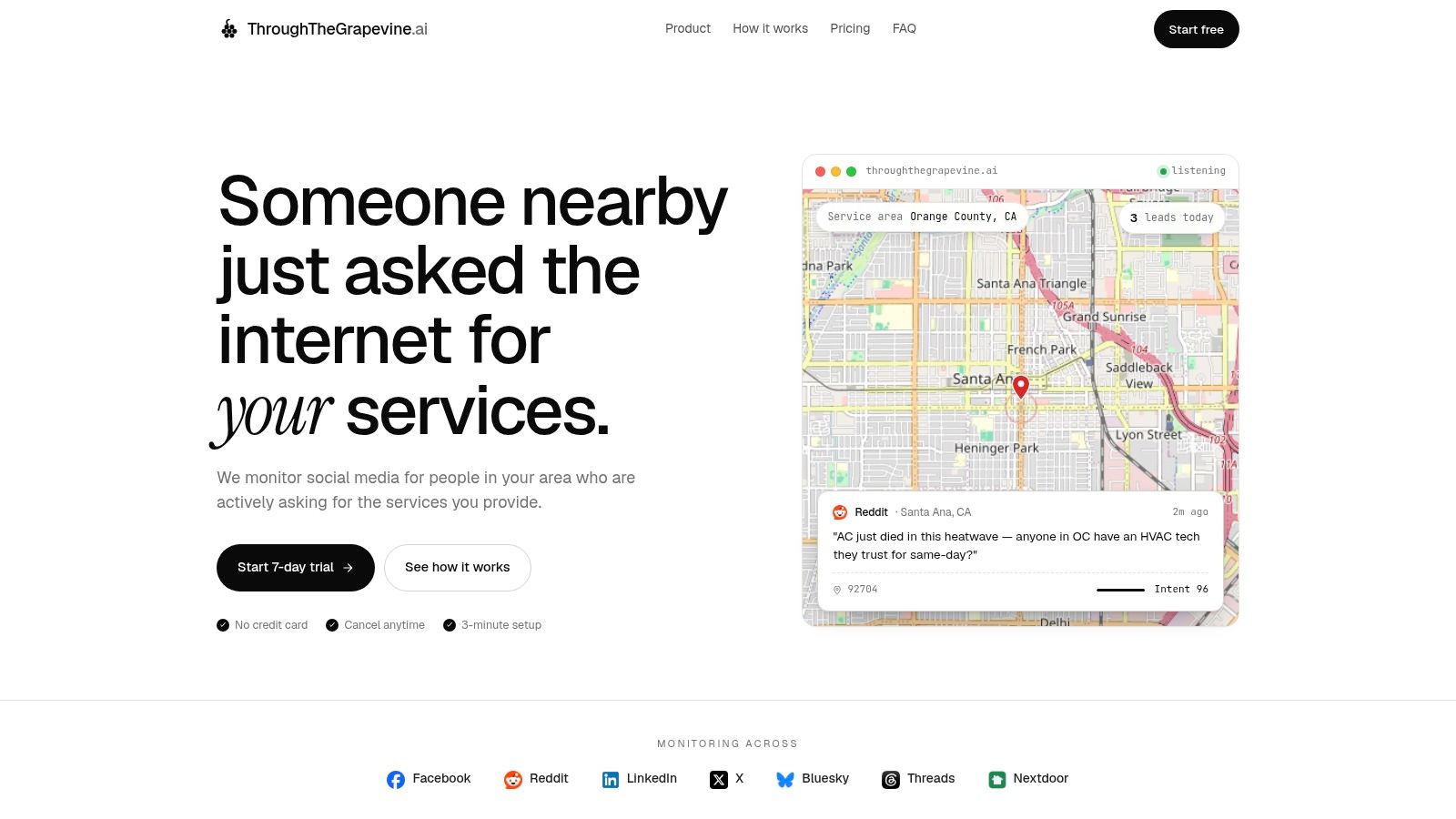
If you want to monitor social media for leads without scrolling all day, try ThroughTheGrapevine.ai. It watches the Facebook groups you pick, plus Reddit, X, LinkedIn and more. It looks for people in your service area asking for what you do. New matches land in your inbox with the post, its location, an intent score and a suggested reply. Setup starts with your website URL, and the 7-day free trial needs no card.