How to Monitor Facebook Groups for Keywords
A homeowner posts in a local Facebook group: “Does anyone know a good plumber who can fix a leaking water heater today?” Within an hour, the post has a dozen replies. If you weren't watching, the job went to someone else.
That's why local businesses monitor Facebook groups for keywords. Spotting the word “plumber” is easy. Spotting the right post, in your area, from someone ready to hire, takes a system. This guide shows you three ways to do it. Then it walks you through seven steps that turn keyword matches into booked jobs.
Table of Contents
- Why Monitor Facebook Groups for Keywords?
- 3 Ways to Monitor Facebook Groups for Keywords
- How to Monitor Facebook Groups for Keywords in 7 Steps
- Facebook Group Monitoring FAQ
- Start Monitoring Facebook Groups Today
Why Monitor Facebook Groups for Keywords?
Facebook groups are where neighbors ask each other for help. In October 2020, Facebook (now Meta) said that more than 1.8 billion people use Groups every month, across tens of millions of active communities (Meta). It's an older figure, but it shows how big Groups are.
Many of those posts are buying signals. “Who do you use for pest control?” and “Can anyone recommend an electrician?” come from people who want to hire someone. A roofer who only checks their own page will never see them. Neither will a cleaner who waits for referrals.
Practical rule: Treat Facebook groups as a source of leads, not just a place to post updates.
The catch is noise. A search for “roof” pulls in storm photos, old projects, complaints and posts from towns you don't serve. Good monitoring finds the right posts and filters out the rest.
3 Ways to Monitor Facebook Groups for Keywords
There are three main ways to watch groups for keywords. Most businesses start with the first one. They move to the third as they grow.
| Method | Best for | Main limit |
|---|---|---|
| Manual search | It suits one or two small local groups. | It's slow, and you miss posts between checks. |
| Admin keyword alerts | It suits groups you run yourself. | Only admins and moderators can use them. |
| Social listening tool | It suits many groups and other sites too. | It can only see public posts. |
1. Search Groups by Hand
Join the groups your customers use, such as town, neighborhood and buy-and-sell groups. Inside each group, tap the search icon and type a service term like “plumber” or “leak.” In a small, busy group, you can also turn on notifications for all posts.
Manual search is free, and it teaches you how locals talk. But it doesn't scale. Feeds move fast, and the same request shows up in several groups. You also can't scroll all day while you run jobs.
2. Set Keyword Alerts as an Admin
Facebook has a built-in keyword alert tool, but it's made for group admins and moderators. They add words under the group's moderation alerts. Facebook then flags posts and comments that use those words. Only admins and moderators can see the alerts (Groupboss).
This works well if you run a local community group. If you're a contractor who is just a member, you can't use it.
3. Use a Social Listening Tool
A listening tool checks groups for you and sends you the matches. It can catch different ways of saying the same thing. It can also tag each post with a location, score how ready the person is to buy and remove repeats.
There's one limit to know about. Meta shut down its Facebook Groups API in April 2024 (Meta for Developers). Apps can no longer read groups through that official route, so most tools work with public posts. Don't try to get around a private group's settings. Members expect those posts to stay inside the group.
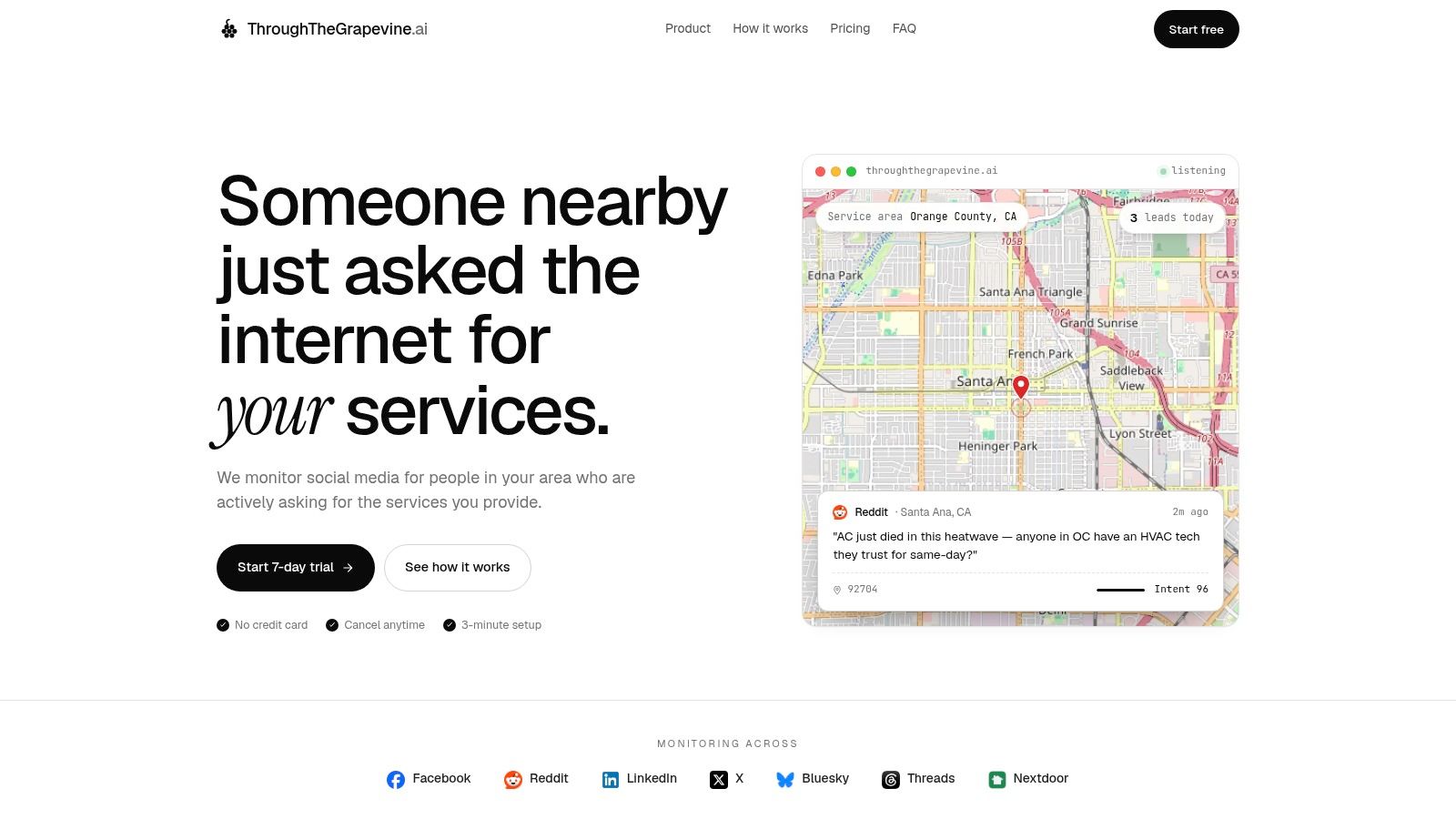
ThroughTheGrapevine.ai is built for this job. You add the Facebook groups you want to watch, and it reads their public posts. It also searches Reddit, Nextdoor, LinkedIn, X, Bluesky and Threads for the same kinds of requests. This roundup of social media listening platforms compares it with other options.
How to Monitor Facebook Groups for Keywords in 7 Steps
Whichever method you pick, the process is the same. These steps take you from a raw keyword match to a booked job.
Step 1: Pick the Right Groups
Start with groups tied to the places you serve. Look for town and city groups, neighborhood groups and local buy-and-sell groups. Read each group's rules before you join. Some ban business posts, while others allow them on set days.
A big group isn't always a good one. A group with 50,000 members across a whole state may give you fewer leads than a small group for one suburb.
Step 2: Build Your Keyword List
Use the words your customers use, not the words on your service page. Your site might say “residential HVAC maintenance.” A neighbor will write, “Anyone know a good heating and cooling guy?”
Phyllo's guide to Facebook listening says to track more than your brand name. Add product names, trade words, rival brands and hashtags too. For a plumber, the list might look like this:
- Service terms: plumber, plumbing, drain cleaning, water heater and pipe repair.
- Request phrases: looking for, recommend, need someone, who do you use and available today.
- Problem words: leak, clogged drain, no hot water, burst pipe and flooding.
- Local terms: town names, neighborhoods, ZIP codes and local hashtags.
- Brand terms: your business name, its short forms and the names of your rivals.
Skip vague words on their own. “Water” could mean a lawn, a lake or a notice from the city. Pair words like that with a request phrase, such as “need someone” plus “water heater.”
Step 3: Add Exclusions
Some phrases will keep setting off false alarms. A roofer might exclude “roof rack.” A cleaning company might exclude “clean eating.” Check your exclusions every month or so. A rule that's too broad can hide real requests.
Each match should also show why it matched. When you open an alert, you should see the trigger word, the service and the location clue. That makes it quick to fix a bad keyword.
Step 4: Filter by Location
A keyword match isn't a lead until it passes two tests. Does the person need your service? Can you get to them? A homeowner three towns away may be a real buyer, but not one you can serve well.
Check location clues in this order:
- The post itself: The person names a town, neighborhood, ZIP code or street.
- The group: The group is clearly for one town or area.
- The profile: The poster's public location matches.
- Your call: You put the request inside, near or outside your area.
Watch for posts like “My sister in Dayton needs a plumber.” It names a place, but maybe not yours. Flag unclear posts rather than guessing.
Step 5: Score Buying Intent
Not every match is a buyer. Strong signs include a direct ask for a name, a clear problem, a deadline or a question about who's free. Weak signs include general tips, a finished project, a complaint about an old job or a news story.
Some tools give each post an intent score from 0 to 100. Use the score to sort your list, but read the post before you reply. A high score outside your area still isn't a local lead.
The best alert isn't the one with the most keyword hits. It's the one that tells you enough to decide fast.
Set your bar by how much work you can take. If you only want urgent jobs, focus on posts that ask who's free today. If you sell planned work, keep the “just looking” posts too. Label them so they don't crowd out emergencies.
Step 6: Reply Like a Neighbor
Your reply should read like help from a local pro, not an ad. Read the whole post and the comments first. Someone may have already named your business, or the job may be done.
Use a simple pattern:
- Name the problem.
- Say that you serve their area.
- Offer a clear next step, like a quick look or a question.
- Move to private messages only when it makes sense.
Here's an example: “We cover Oakview. A leaking water heater can get worse fast, and more so if water is near the floor or wiring. If the group allows it, message me a photo and your street. I'll tell you if we can help today.”
Don't spam your phone number if the group frowns on ads. Don't knock rivals, promise what you can't deliver or guess the cause from one sentence. People notice who helps and who just pitches.
Speed counts, since other pros see the same post. Check your alerts often and reply as soon as you can. This guide to getting leads from Facebook groups covers outreach in more depth.
Step 7: Track Results and Refine
Your first setup won't be perfect. People use slang, misspell trades and describe the problem instead of naming the service. Every alert you review teaches you something.
Mark each match as a fit, not a fit, out of area, a repeat or unsure. If your tool has thumbs-up and thumbs-down buttons, use them every time. That trains its scoring toward the jobs you want.
Watch for repeats. One homeowner may post the same job in three groups and then on Nextdoor. Keep one record and link the other posts to it. If you don't, your team may contact the same person three times.
Then export your matches to a spreadsheet or CRM and track what happened next:
- Fit: Was the request in your service area?
- Contact: Did you reply, and how fast?
- Conversation: Did the person reply or message you?
- Quote: Did it turn into a quote or a visit?
- Outcome: Did you win the job, lose it or is it still open?
A simple sheet is enough at first. Track the group, the service, the location, the intent, your reply and the result. Over time, you'll see which keywords and groups bring in real jobs.
Facebook Group Monitoring FAQ
Can I get keyword alerts for a Facebook group I don't run?
Not from Facebook itself. Its keyword alerts are only for admins and moderators. Members can search a group by hand or turn on notifications for all posts. To get keyword alerts across many groups, you need a listening tool.
Can I monitor private Facebook groups?
Only as a member, and only by hand. Listening tools work with public posts. Don't try to get around a group's privacy settings.
How often should I check for new posts?
Check as often as you can. Urgent requests, like a burst pipe, tend to get answered fast. A tool that emails you matches saves you from checking each group by hand.
Start Monitoring Facebook Groups Today
To monitor Facebook groups for keywords well, collect less and act faster. Pick the right groups and use the words your customers use. Then filter hard for location and intent.
If you'd rather not check groups by hand, ThroughTheGrapevine.ai does it for you. It builds your keyword list from your website and service area. Then it watches the public Facebook groups you add, plus Reddit, Nextdoor and other sites. Each lead arrives by email with the post, a link, the location, an intent score and a draft reply. Try it free for seven days, with no card needed.