How to Follow Up Leads from Social Listening
Most advice on how to follow up leads boils down to one rule: follow up more. That can work for cold prospects. But it wastes time, and it can hurt trust, when you use it on every lead. A homeowner asking for a plumber in a neighborhood group is not the same as someone who says they might need help someday. The first person wants help now and is likely comparing pros. The second is still just looking.
For local service businesses, the edge comes from matching your speed and follow-up pace to intent. A clear request on social media needs a reply right away. Cold outreach needs more room, with days between messages, not a burst of them. So the real question isn't how often to reach out. It's what the person is asking for, where they asked, and what next step you can offer.
This guide shows you how to follow up leads you find through social listening. You'll learn how to sort posts by intent, how fast to reply, what to say, and how to keep your team from sending the same message twice.
Table of Contents
- How to Follow Up Leads From Social Listening in 6 Steps
- Why Social Leads Need a Different Follow-Up
- Sort Each Lead by Intent and Area
- Why Fast Replies Win More Jobs
- What to Say: Follow-Up Templates
- Let Tools Find Leads, Not Talk for You
- Example: An HVAC Lead From Post to Booked Job
- Lead Follow-Up FAQs
How to Follow Up Leads From Social Listening in 6 Steps
Here's the short version. Each step gets its own section below.
- Sort the post by intent. Is the person asking for help now, doing research, or just venting?
- Check that they're in your area. Look at the city, ZIP code, neighborhood, and the group or subreddit.
- Reply fast. Answer a clear, local request within minutes of seeing it, not at the end of the day.
- Start where they posted. Leave a short public reply that names their problem and says you serve their area.
- Move to a private message. Ask only what you need to quote or book the job.
- Log it, and know when to stop. Record who owns the lead and what happened. Stop when they book, say no, or ask you not to contact them.
Why Social Leads Need a Different Follow-Up
The rule to "always follow up more" breaks down when every contact gets the same treatment. A homeowner asking for AC repair is not the same as someone collecting ideas or describing a bad experience. One post shows a real need, a type of service, and a local area. Another calls for advice, patience, or no outreach at all.
Cold outreach and social requests run on different clocks. A cold prospect may not know your business. They may still be deciding whether to act at all. A clear local request carries much stronger intent, especially when the person names a problem and asks for a pro. So start each day with the post that shows the clearest need, not with a stack of old contacts on a follow-up list.
Practical rule: Match your follow-up timing to intent. Give cold prospects room. Move clear local requests to the front of the line while the need is fresh.
Fast doesn't mean pushy. A good first reply names the exact request, confirms you serve the area, and offers one clear next step. A short public reply shows you're available. A private message can then gather the address, timing, and size of the job. That way, the whole back-and-forth doesn't play out in a public thread.
What "follow up more" gets wrong
Repeat messages turn into noise when they ignore context. Someone asking for a recommendation may welcome a helpful answer. But they may not want three sales pitches after it. Pasting the same reply across several neighborhood groups can also make a business look automated or careless, even when you mean well.
Sort every post into one of three lanes:
- Active request. Reply fast, name the service they need, and offer a direct next step.
- Research or comparison. Answer the question, share useful advice, and invite them to ask for a quote when they're ready.
- Complaint, venting, or weak match. Watch the thread, and only reply if you have something useful to add.
This shifts your focus from how many messages you send to when the buyer is ready. A clear request on social media deserves top priority. The need is public, and the window to respond is short. Regular follow-up still has its place. It just shouldn't come before someone who is asking a local business for help right now.
Sort Each Lead by Intent and Area
A fast reply only helps when the post is a real lead. Social feeds are full of requests, complaints, jokes, general questions, and posts from people who live outside your area. If your team jumps on every keyword match, fast follow-up just turns into fast waste.
Start with one queue that pulls posts from every platform your customers use. For each post, check the intent, the exact wording, and the clues about where the person lives. Do this before you write a reply. If your tool gives each post an intent score, use it to sort clear requests above casual chat. But let the score guide your judgment, not replace it.

A simple way to qualify a post
Look for a service trigger. Watch for words that show a current need. That could be asking for a pro, asking for a quote, or describing a repair that can't wait. "Who knows a good roofer?" is a stronger lead than "I wonder what a new roof costs."
Confirm the area. Don't trust a single location field. Check the city, ZIP code, neighborhood, and area code. Check the group or subreddit where the person posted, too. Several clues together beat one guess. A post in a regional group may still come from someone far outside your area.
Separate urgent from curious. A broken water heater or a same-day problem needs a faster reply than a question about next year's plans. Urgency isn't the same as buying intent. But it does tell you who to call first.
Merge duplicates. If the same person posted in three local groups, create one lead, not three. Pick the clearest post and reply there. Don't send a message to every copy.
Assign an owner. Every real lead needs one person who owns the next step. "Someone should reply" is not a plan. Name who will respond, set the status, and note when the first reply went out.
A good queue can run on three labels: reply now, check soon, and skip. "Reply now" covers posts in your area with clear buying language. "Check soon" covers posts where the intent or the area is unclear. "Skip" covers venting, keyword matches that miss the point, and requests outside your area.
A high intent score can't fix a bad area check. Qualify both the request and the person before you put time into the conversation.
Triage isn't about red tape. It saves your speed for the leads most likely to become real jobs. And it stops weak or duplicate leads from eating up the same time and attention.
Why Fast Replies Win More Jobs
Same-day follow-up often feels responsible. For a clear request on social media, it's often too slow. Someone asking for a local pro may get several names before your team even opens the inbox. The problem may be solved before your first reply lands.
Research on web leads backs this up. For a Harvard Business Review study, researchers sent test leads to 2,241 US companies. Only 37% replied within an hour. Among firms that did reply, the average wait was 42 hours. The same article compared firms by how fast they tried to reach a lead. Firms that tried within an hour were nearly 7 times as likely to qualify it as firms that waited even one hour longer. They were more than 60 times as likely as firms that waited a day or more.
An earlier study by MIT researcher James Oldroyd and the sales software firm InsideSales looked at phone calls to web leads. The odds of qualifying a lead were 21 times higher when the first call came within 5 minutes instead of 30. Even the gap between 5 and 10 minutes mattered. In that window, the odds of reaching the lead at all dropped about 5 times.
Those studies looked at web forms and phone calls, not social media. But the lesson carries over. A clear social request shows active intent. If your tool finds the post but your team waits until the end of the day to reply, you've gained awareness without gaining an edge.
Where the time gets lost
Most delays don't come from finding the post. They come from what happens after. A slow workflow often looks like this:
- A social post goes up.
- An alert lands in a shared inbox.
- Nobody owns it, so it sits there.
- Someone writes a reply after other work is done.
- By then, the person has hired someone else or stopped checking.
A faster workflow cuts out those idle gaps. Each alert goes straight to one owner, with the original wording and the area details. The first reply goes out as soon as they see it, before the lead sinks into a general to-do list.
Working standard: Treat a qualified request as something to answer within minutes of seeing it. It's not a chore for the end of the day.
Let tools handle finding, alerting, routing, and draft replies. People still need to judge whether a tricky repair fits your skills, confirm your schedule, and answer concerns. And the process must stop the moment someone asks not to be contacted.
For local service businesses, the rule is simple. Put clear social requests ahead of routine batch follow-ups. Speed starts the conversation. Human judgment turns it into a booked job.
What to Say: Follow-Up Templates
Once a post passes your intent and area checks, keep the first contact simple. It shouldn't read like a brochure. It should prove you understood the problem and make the next step easy.
Start on the platform where the person posted. Check the group's rules first. Many Facebook groups and subreddits ban or limit self-promotion, and a pushy reply can get you removed. A public reply shows you're relevant without sharing private details. Move to a direct message when you need an address, photos, timing, or anything else that shouldn't sit in a public thread.
The first public reply
Use their own words as your starting point. For a plumbing request, a reply might say:
"Sorry you're dealing with that leak. We serve [area] and handle emergency plumbing repairs. Can I send you a message to check a few details?"
For a landscaper, the shape changes a little:
"We work in [neighborhood] and can help with regular lawn care or a one-time cleanup. I'll message you so I can ask about the yard and timing."
These replies work because they do three jobs without overloading the reader. They name the problem, confirm you're local, and offer a private next step. Don't promise you can come right away unless your schedule confirms it.
Moving to a private message
The direct message should pick up the same thread, not restart with a generic intro. Ask only what you need to see if the job fits:
- What service do you need?
- Where is the property?
- How urgent is it?
- What time works for a call or visit?
A good DM might read:
"Thanks for posting about your AC. What's it doing, and what ZIP code are you in? If you share a good time to call, I'll have our tech look over the details."
If they don't reply, don't chase them across every channel at once. Only use contact details they chose to share. Follow each platform's rules. And make sure your emails, calls, and messages don't send mixed signals.
When to call or email
Call when the problem is urgent, when they ask for a call, or when the details are too complex for chat. Email works well for quotes, appointment details, photos, and written next steps. Log every touch in your CRM or spreadsheet. That way, the next person on your team can see what was already sent.
The best sequence isn't the longest one. It's the one that keeps context, removes friction, and stops when the person replies, books, says no, or asks you to stop.
Let Tools Find Leads, Not Talk for You
Checking Facebook groups, Reddit, Nextdoor, X, LinkedIn, Bluesky, and Threads by hand is slow and scattered. Your team may find the same request in several groups. They may miss a reply because it's on another platform. Or they may send a second message without knowing someone else already did.
Tools should fix those gaps, not turn your business into a robot. Start by deciding what counts as a real match. Use the service terms on your website and the place names in your area. Add filters for words that mean something else in other contexts. Some tools can build this keyword list for you from your website. Even then, review the first matches and correct any false ones.
Build one clean lead queue
A single feed should show the original post, the platform, the area clues, the intent score, a direct link to reply, and who owns the lead. That gives whoever replies enough to act without hunting through several accounts.
Merging duplicates matters as much as finding leads. Say a homeowner posts the same request in two neighborhood groups. Keep one lead record and attach both links. Whoever replies can pick the best thread. The other post stays visible but doesn't trigger a second message.
Export real leads to a spreadsheet, CRM, or workflow tool as a CSV file. Include fields like these:
- Requester. Use a consistent name or handle to match repeat posts.
- Platform and link. This is where the reply should start.
- Service need. Write down the problem in their words.
- Area clues. Note the city, ZIP code, group, or neighborhood.
- Intent and status. Track the score, the owner, the reply time, and the next step.
For a closer look at tools that pull this into one place, see our roundup of social media listening platforms. If Reddit is a big source of requests in your area, read our guide to Reddit lead generation for local pros.
Use feedback to sharpen the filter
A quick thumbs-up or thumbs-down on each lead pays off. Your team can mark a post as a real lead, off-topic, out of area, or a duplicate while the call is fresh. Over time, those choices help tune your intent cutoff and keyword rules. They also show where the filter needs a human eye. Slang, local nicknames for neighborhoods, and service terms with more than one meaning are common trouble spots.
Draw a clear line for what tools do. A tool can flag a request, draft a reply, merge duplicates, and send an email alert. A person should confirm the job fits, avoid guessing about private details, and decide whether a public reply makes sense. That split keeps the queue fast without losing judgment.
Example: An HVAC Lead From Post to Booked Job
Picture a local HVAC contractor starting a busy morning with several calls already booked. An email alert arrives about a public post from a homeowner in a ZIP code the contractor serves. The post says the AC is running, but the house isn't cooling. The homeowner asks for a tech they can trust.
The owner checks the intent score, reads the full post, and confirms the area from the ZIP code and the neighborhood group. A duplicate check shows the homeowner hasn't posted anywhere else. So the owner assigns the lead to the office coordinator instead of leaving it in a shared inbox.
The coordinator posts a public reply:
"We service homes in your area and can help figure out what's wrong with your AC. I'll send you a message so we can check a few details and find a time that works."
The DM asks if the unit is blowing warm air, if it has stopped completely, and when someone will be home. The homeowner replies with the details and asks about an afternoon visit. The coordinator checks the schedule, confirms the visit, and logs the job in the CRM.
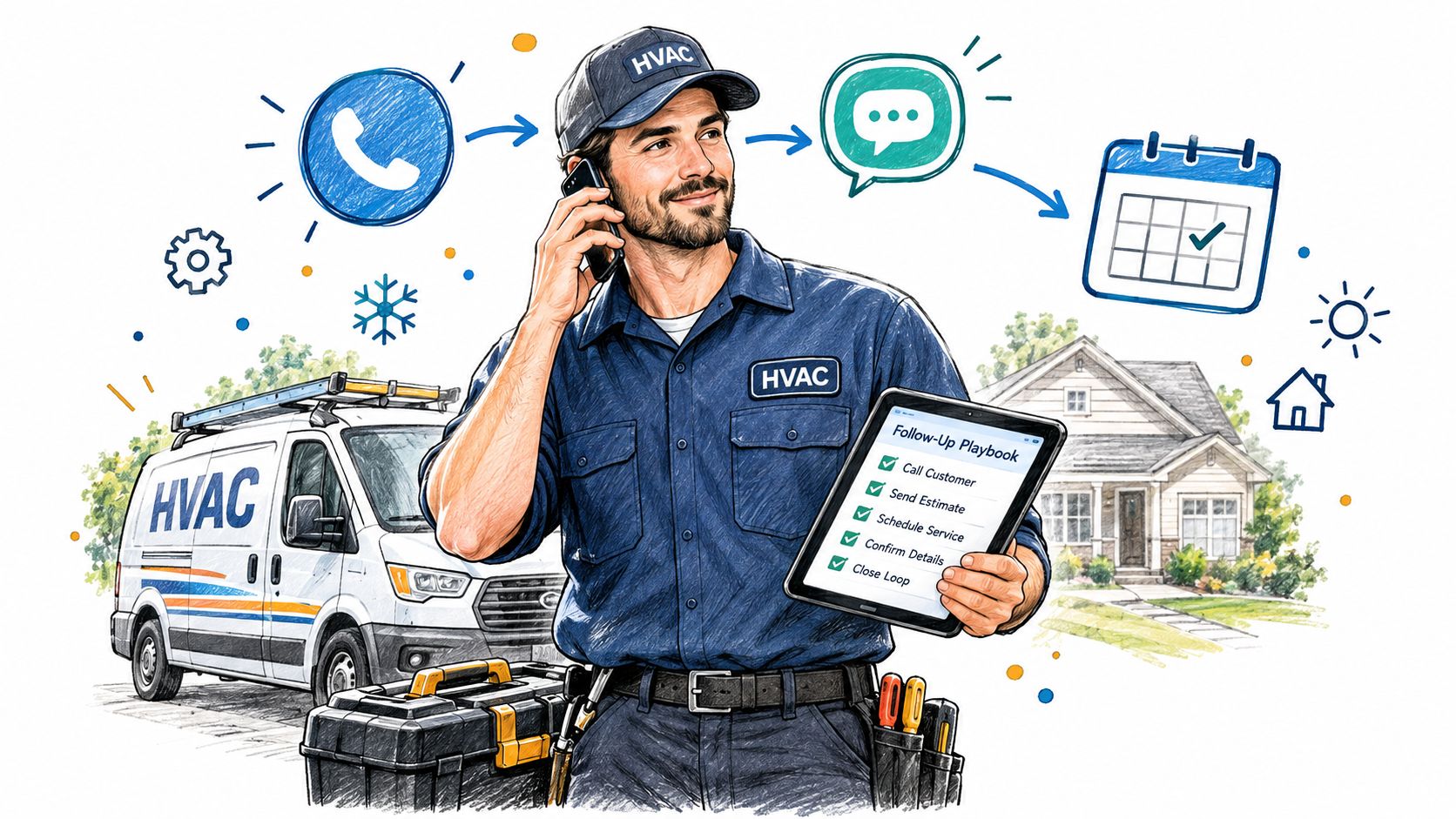
The coordinator also adds the lead to the day's working sheet. The row holds the post link, service type, area, score, owner, and result. That record stops a second employee from contacting the same homeowner. It also gives the tech some context before they arrive.
This is the same process we lay out in our guide to getting leads from Facebook groups. The same habits work on every public platform. Finding, sorting, replying, handing off, and booking all connect. They don't live as separate tasks.
The result doesn't come from sending lots of messages. It comes from spotting a real local request, confirming the need, replying while it's fresh, and steering the chat toward a booked visit. That's the difference between chasing a lead list and running a fast, responsive local business.
Lead Follow-Up FAQs
How fast should you follow up a lead from social media?
Reply as soon as you see a clear, local request. Aim for minutes, not hours. Studies of web leads show that the odds of qualifying a lead drop sharply after the first hour.
How many times should you follow up a lead?
There's no magic number. For a social request, a public reply and one private message are often enough. If they don't answer, try one more channel they chose to share, such as email. Then stop. And always stop as soon as they book, say no, or ask you not to contact them.
Should you reply in public or send a private message first?
Usually both, in that order. A short public reply shows you saw the post and serve the area. A private message then handles the address, photos, and timing. Check the group's rules first, since some groups ban self-promotion.
If you want to monitor social media for leads like these without scrolling all day, try ThroughTheGrapevine.ai. It watches Facebook groups, Reddit, X, and other social sites for people in your area who are asking for the services you offer. New leads arrive by email with the post, a direct link, the location, an intent score, and a suggested reply. You can try it free for 7 days, with no credit card needed.